Make a Clapping Cat Video on iPhone or Android
Updated · Clapping Cat AI
 Photo
Video
Make your pet clap: upload a photo ↓
You can make the clapping cat meme from your phone without installing an app. Open Clapping Cat AI in Safari or Chrome, choose one clear photo of your own cat or dog, and buy a video for $5.90. The result is a 10-second vertical AI-generated MP4 where your pet stands up, grins and claps small human hands. Download it from your private order page.
How to make the video using only your phone
- Open this page in Safari on iPhone or Chrome on Android. Have one full-body pet photo ready; choose a cat or dog you own. Photos that include people are not accepted.
- Tap the photo chooser above and select a photo from your phone's library or file picker. Use the original sharp photo rather than a tiny screenshot or a photo with the paws cropped out.
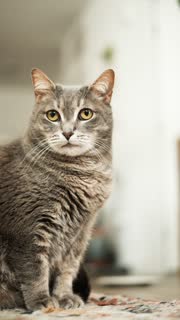
- Look at the real gray-tabby example above to see the distinct human-toothed grin and tiny human-hand clapping. It shows the exact one-pet effect, not a green-screen sticker of the original black cat.
- Buy one 10-second video for $5.90, or choose the three- or five-video pack. The checkout is a one-time payment, with no account or app installation.
- Return to your private order link after the render is ready. Preview the MP4, then use the download option and, if needed, your browser's Share or Save Video action to put it into your photo library.
If your photo is on your phone but you're visiting on a computer
The desktop generator offers a QR code below the upload area. Scan it with your phone to pick a pet photo there, then finish the order in the browser. Do not share the private order link publicly.
You can also do the entire upload and checkout directly on the phone. The QR route is optional.
Save it for TikTok or a group chat
- The finished file is a vertical 10-second MP4, so it suits a short reaction post or chat message. If the video opens but doesn't appear in Photos, check Files or the browser's Downloads folder.
- Choose your own caption about what your pet is applauding. If you add an existing commercial sound in an editor, use a track you're allowed to post.
- This page makes a new animation of your own pet. It does not output a GIF file, replace the animal in the original meme, or combine a second human selfie with the cat.
Common mobile upload issues
- If your cloud-stored photo hasn't downloaded to the device, open it in Photos or your files app first and try again.
- If the site rejects a cropped or low-resolution image, use a clearer photo with the whole pet and paws visible. Standard JPEG, PNG and WebP are suitable.
- If the pet isn't recognizable after generation, try a different front-facing photo. AI motion can alter markings or hands imperfectly; preview a real sample before buying.