Ways to make your own clapping cat video, compared
Updated · What's new · Clapping Cat AI
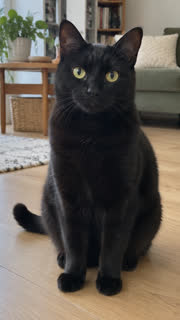 Photo
Video
Make your pet clap: upload a photo ↓
There are four ways. Put the original clapping cat clip on top of your own video as a green-screen reaction (free, a few minutes in CapCut). Use a one-photo clapping cat generator so your own cat or dog is the one clapping ($5.90 for one video here, no prompt to write). Prompt a general AI video app yourself, which can be cheaper but usually takes several tries to get the human hands and grin. Or film your real cat and edit it, which is free but hard to make convincing.
1. Green-screen the original clip
- What you get: the original black cat clapping in the corner of your own video.
- Cost and time: free, a few minutes in a video editor.
- Keep in mind: it's someone else's cat and clip, so credit the original where you can.
How to green-screen it in CapCut
- Find a green-screen version of the clip (search for "clapping cat green screen") and save it to your phone.
- Open your own video in CapCut, tap Overlay, then Add overlay, and pick the green-screen clip.
- With the overlay selected, tap Remove BG, then Chroma key, and pick the green to remove it.
- Shrink the cat into a corner and trim it to the moment that deserves the applause.
2. A one-photo clapping cat generator
- What you get: a new 10-second video of your own cat or dog standing up, grinning with human teeth and clapping human hands, in your own room.
- Cost and time: $5.90 for one video on Clapping Cat AI, ready in 2 to 5 minutes. No prompt, app or account.
- Keep in mind: results vary with the photo; a sharp full-body photo works best. A video that comes out clearly broken gets its cost back.
3. Prompt a general AI video app
- What you get: whatever animation you manage to describe, from your own photo.
- Cost and time: many apps give free credits, then charge per video or by subscription. You write the prompt yourself and usually need several tries: without the right wording the pet claps its own paws, or extra objects appear.
- Keep in mind: check whether free videos carry a watermark, and whether the app lets you upload pet photos.
4. Film your own cat
- What you get: your real cat, but cats don't clap, so you'd need heavy editing to fake the grin and the hands.
- Cost and time: free, but hours of editing for a convincing result.
Which one to choose
- Reacting to something in your own video: green-screen the original. It's free and it's what most posts do.
- You want your own pet in the meme, without prompt work: a one-photo generator like this one.
- You enjoy experimenting and have time for retries: a general AI video app.
What's new on this page
- Added a real result video at the top of the page, so you see what the video looks like before reading on.
- Added the order card right under the answer, so you can upload your pet's photo and pay on this page.
- Lower prices: one video is $5.90 (was $9.90), three are $14.90 and five are $19.90.
- Four ways instead of three: added prompting a general AI video app, with CapCut green-screen steps and which way to choose.