How to post your clapping cat video on TikTok
Updated · Clapping Cat AI
Upload the MP4 from your phone with TikTok's + button, tap Next, write a caption about what your pet is clapping at, then tap More options and turn on AI-generated content before you post. TikTok requires a label on realistic AI videos, and its help center says turning it on won't affect how your video is distributed as long as it follows the Community Guidelines.
Make your own clapping cat video from one photo
Clapping Cat: a real result
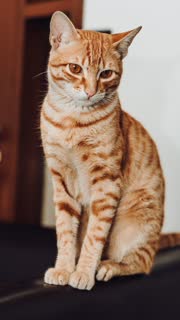 The photo
Step by step
- Save the video to your phone from your order page.
- In TikTok, tap the + button at the bottom and upload the video from your device.
- Trim it or add a sound in the editor if you like, then tap Next.
- Write your caption (ideas below) and a few hashtags.
- Tap More options (...) and turn on AI-generated content.
- Post.
Why turn on the AI label
TikTok requires creators to label AI-generated content that shows realistic images, audio or video, and may remove unlabeled AI content that breaks its Community Guidelines. With the setting on, your post shows "Creator labeled as AI-generated". TikTok says the label doesn't affect distribution as long as the video follows the guidelines.
Sound
- The video comes with slow claps in a quiet room, which fits the meme's awkward silence.
- To use a trending sound instead, add it in TikTok's editor and lower the original clapping in the volume settings.
Captions that land the joke
The clapping cat is sarcastic applause, so say what it's clapping at:
- my cat when I finally fold the laundry that's been on the chair for a week
- my dog watching me parallel park on the fourth try
- my cat when I say "just one more episode"
- my cat after I open the door it's been yelling at for an hour
Hashtags
Use the meme's name so people find it, such as #clappingcat or #blackcatclapping, plus #catsoftiktok or #dogsoftiktok.
Reels and Shorts
The video is vertical and 10 seconds long, so it fits Instagram Reels and YouTube Shorts too. Both also ask you to disclose realistic AI content when you upload, so turn on their AI labels as well.
Related
- Clapping Cat AI generator
- How to make your cat clap like the clapping cat meme
- What is the clapping cat meme?
- Can you make your dog clap like the clapping cat?
- Ways to make your own clapping cat video, compared
- Will the clapping cat AI look like my cat?
- Is there a free clapping cat AI generator?
- How to do the clapping cat trend on CapCut
- Make your black cat the clapping cat
- How to make a clapping cat GIF
- Clapping cat AI prompt: the one we use